


Introduction to 3D Product Animation

In today’s digital-first world, the ability to visually communicate your product’s value is more important than ever. Whether you’re a startup launching a new gadget or an established brand refreshing your catalog, 3D product animation offers a dynamic way to showcase features, functionality, and design. For businesses and creative professionals in Mumbai and beyond, mastering how to create 3d product animation can be a game-changer for marketing, sales, and customer engagement.
Quicktime Production Pvt. Ltd., a full-service creative agency based in Mumbai’s central suburbs, stands at the forefront of this creative revolution. With expertise in branding, motion graphics, 3D animation, and storytelling, Quicktime Production is uniquely positioned to help brands bring their products to life with stunning animations.
What is 3D Product Animation?
3D product animation is the process of creating moving, three-dimensional representations of products using specialized software. These animations can demonstrate product features, assembly, usage, or even internal mechanisms, providing viewers with a comprehensive understanding that static images simply can’t match.
Why is it Important for Businesses Today?
The digital marketplace is crowded and competitive. 3D product animation helps brands stand out by delivering clear, engaging, and memorable product stories. It’s especially valuable for e-commerce, product launches, and investor pitches, where visual clarity and impact are crucial.
Benefits of 3D Product Animation
Better Visual Communication
3D animations break down complex ideas and showcase intricate product details, making it easier for customers to understand and appreciate your offering.
Enhanced Customer Engagement
Animated content is more likely to capture attention and keep viewers engaged, increasing the chances of conversion and brand recall.
Cost-Effective for Prototypes
Instead of manufacturing expensive physical prototypes, 3D animations allow you to visualize and test concepts virtually, saving time and resources.
Understanding the Animation Workflow
The 3D Animation Pipeline Explained
The process of how to create 3d product animation typically follows a structured pipeline:
Pre-production
- Concept development, storyboarding, and planning.
Production
- 3D layout: Blocking out scenes and camera angles.
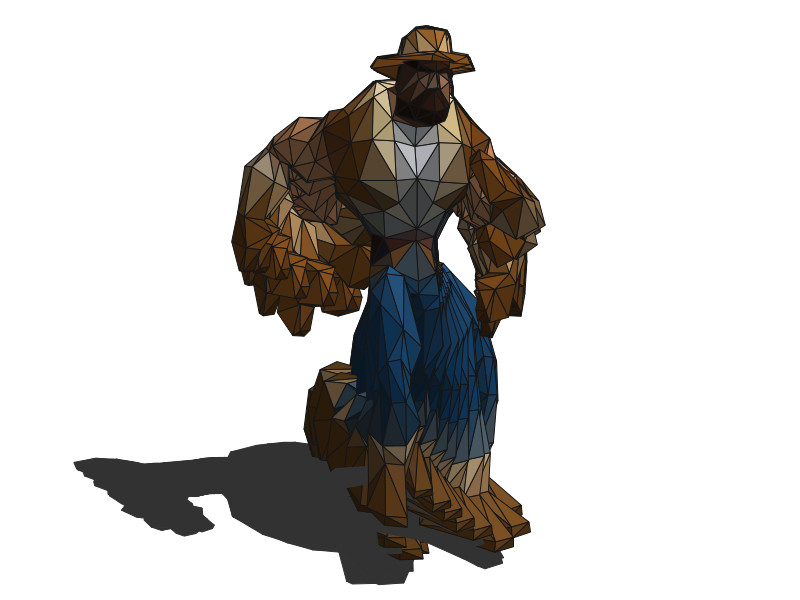
- 3D modeling: Building the geometric surfaces of the product.
- Texturing: Applying realistic materials and colors.
- Rigging: Adding digital skeletons for movement (if required).
- Animation: Bringing the model to life with motion.
- Lighting: Setting up lights for realism and mood.
- VFX: Adding visual effects if needed.
Post-production
- Rendering: Generating the final visuals.
- Compositing and editing: Assembling and polishing the animation for delivery.
Tools You Need for 3D Product Animation
Popular Software Options
| Software | Key Strengths | Cost |
| Blender | Free, open-source, powerful modeling & rendering | Free |
| Autodesk Maya | Industry standard, advanced effects & scripting | Paid |
| Cinema 4D | Excellent for motion graphics & ease of use | Paid |
Blender is a favorite for its accessibility and robust features, making it ideal for both beginners and professionals3. Autodesk Maya and Cinema 4D are industry standards, offering advanced tools for complex projects.
Hardware Requirements
A capable workstation with a multi-core CPU, high-end GPU, and ample RAM (16GB or more) is recommended for smooth modeling, animation, and rendering.
Step-by-Step Guide to Creating 3D Product Animation
Step 1 – Concept & Storyboarding
Start with a clear concept and storyboard to map out the animation’s flow and key scenes.
Step 2 – 3D Modeling
Build a detailed 3D model of your product using your chosen software.
Step 3 – Texturing and Materials
Apply realistic textures and materials to add depth and authenticity.
Step 4 – Lighting Setup
Set up lighting to highlight the product’s features and create mood.
Step 5 – Rigging (If Required)
If your product has moving parts, rig the model to enable animation.
Step 6 – Animation
Animate the product using keyframes, focusing on realistic movement and timing.
Step 7 – Rendering
Render the animation in high resolution, optimizing settings for quality and file size.
Step 8 – Compositing and Editing
Edit and composite the final video, adding effects, transitions, and sound as needed.
Tips to Make Your Product Animation Stand Out
- Focus on realism: Use accurate lighting, textures, and subtle movements.
- Keep animations purpose-driven: Showcase key features and benefits.
- Use camera angles creatively: Employ dynamic shots to add visual interest.
Common Mistakes to Avoid
- Overcomplicating the scene: Keep models optimized for performance.
- Ignoring lighting and textures: Poor lighting can ruin realism.
- Choosing the wrong frame rate: Stick to 24 or 30 fps for smooth playback.
3D Product Animation for Marketing
- Social media campaigns: Short, shareable animations boost engagement.
- Website integration: Enhance product pages with interactive 3D visuals.
- Explainer videos: Use animation to clarify product use and value.
Outsourcing vs Doing It Yourself
Pros and Cons of Outsourcing
Outsourcing to agencies like Quicktime Production ensures professional quality, access to expert talent, and efficient project management. DIY approaches may save costs but often lack polish and can be time-consuming.
When to Hire a Professional
Consider hiring experts when you need high-impact visuals, complex animations, or when internal resources are limited.
Real-Life Examples of 3D Product Animations
- Tech Gadgets: Showcasing internal components and usage scenarios.
- Furniture Design: Demonstrating assembly, materials, and finishes.
- Fashion Accessories: Highlighting design details and wearability.
Future Trends in 3D Product Animation
- AI in Animation: Automating repetitive tasks and enhancing creativity.
- VR and AR Integration: Immersive product experiences for customers.
- Real-Time Rendering Engines: Faster workflows and interactive previews.
Final Thoughts
Learning how to create 3d product animation is essential for brands aiming to captivate audiences and drive sales in a visually driven market. Quicktime Production Pvt. Ltd. combines creative vision, technical expertise, and a deep understanding of brand storytelling to deliver animations that engage and convert.
Ready to elevate your brand with world-class 3D product animation, branding, or motion graphics? Explore Quicktime Production’s services or contact us today to bring your product stories to life.